> ## Documentation Index
> Fetch the complete documentation index at: https://docs.restauric.com/llms.txt
> Use this file to discover all available pages before exploring further.

# Delivery Order

> **Prerequisite**\
> Ensure riders are created for delivery orders.\
> Learn how to create staff with rider role: [User Setup Guide](/staff-setup-guide)

Follow these steps to create a delivery order:

1. Select a **Delivery** at the top

   <Frame>
     <img src="https://mintcdn.com/axon-d19cba9f/zTorX44_AFMQZs9R/images/image-31.png?fit=max&auto=format&n=zTorX44_AFMQZs9R&q=85&s=9ef14ecdd09f54ec0f6dcebcf48423ed" alt="Image" width="665" height="84" data-path="images/image-31.png" />
   </Frame>
2. Click on **+ New Delivery**
   <Frame>
     <img src="https://mintcdn.com/axon-d19cba9f/zTorX44_AFMQZs9R/images/image-32.png?fit=max&auto=format&n=zTorX44_AFMQZs9R&q=85&s=abb651ed561cd250bbe532193324bcad" alt="Image" width="207" height="73" data-path="images/image-32.png" />
   </Frame>
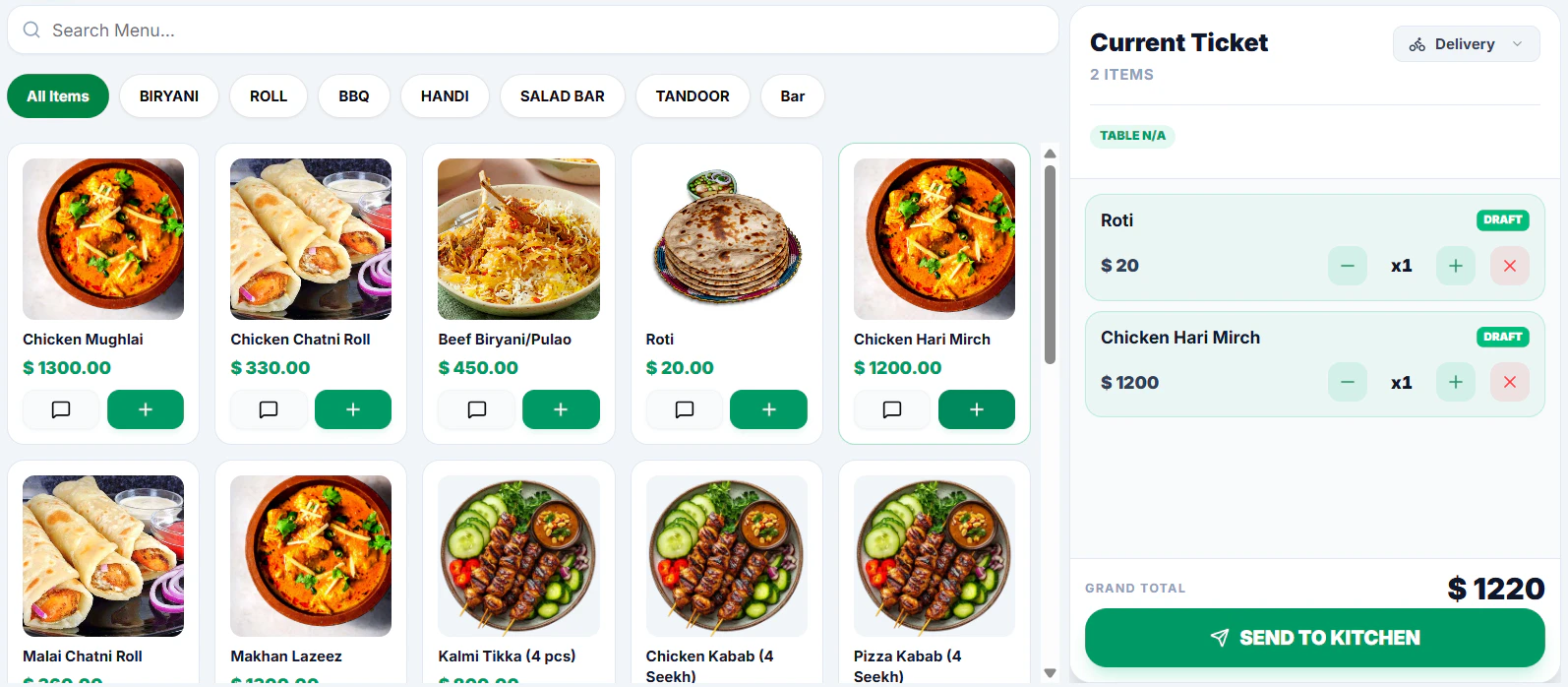
3. Add items from the **Menu**
   <Frame>
     <img src="https://mintcdn.com/axon-d19cba9f/zTorX44_AFMQZs9R/images/image-33.png?fit=max&auto=format&n=zTorX44_AFMQZs9R&q=85&s=1497c4203d874e1d67c549204a2d1546" alt="Image" width="1594" height="698" data-path="images/image-33.png" />
   </Frame>
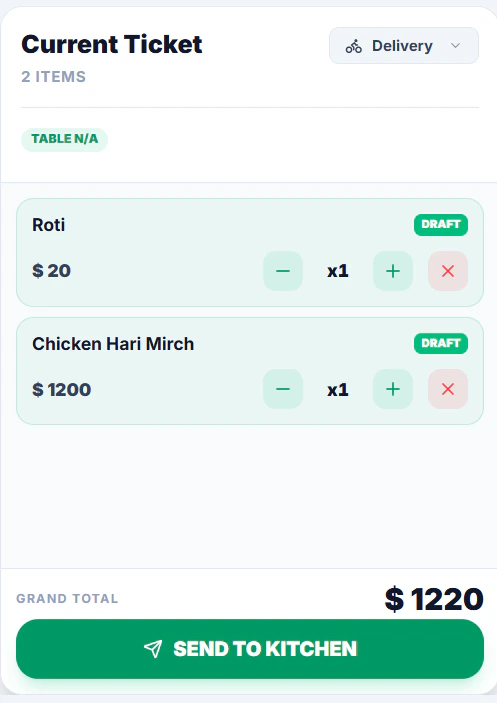
4. Click **Send to Kitchen** to confirm the order
   <Frame>
     <img src="https://mintcdn.com/axon-d19cba9f/zTorX44_AFMQZs9R/images/image-34.png?fit=max&auto=format&n=zTorX44_AFMQZs9R&q=85&s=594f1a3154e73145bdc27fd6a5c4555d" alt="Image" title="Image" style={{ width:"76%" }} width="497" height="703" data-path="images/image-34.png" />
   </Frame>
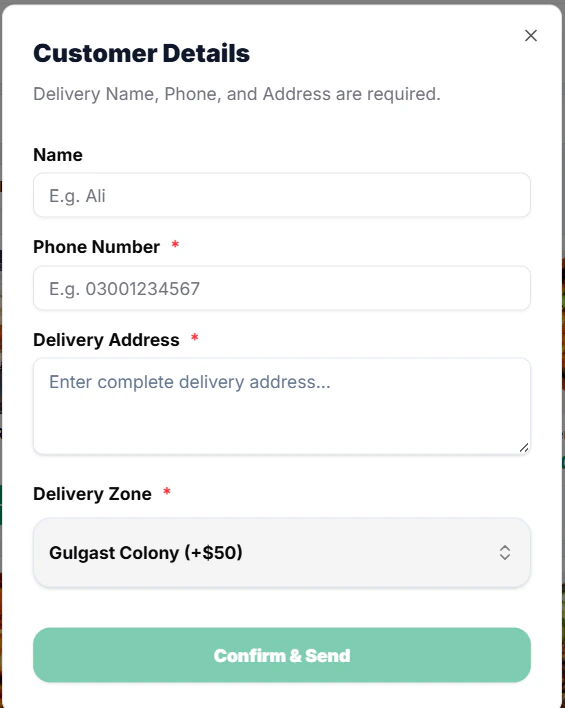
5. Add **Customer Details** and **Delivery Address**
   <Frame>
     <img src="https://mintcdn.com/axon-d19cba9f/zTorX44_AFMQZs9R/images/image-35.png?fit=max&auto=format&n=zTorX44_AFMQZs9R&q=85&s=62a440ec2bb4b06acb238a05cdc591a8" alt="Image" title="Image" style={{ width:"87%" }} width="565" height="708" data-path="images/image-35.png" />
   </Frame>
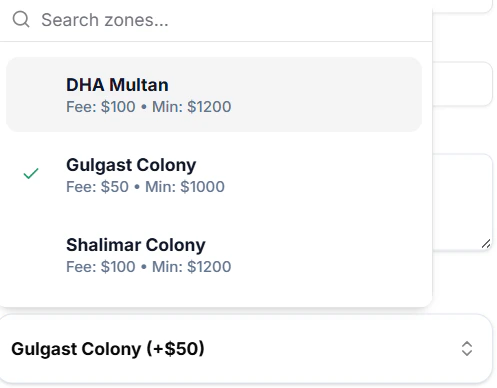
6. Chose **Delivery Zone**
   <Frame>
     <img src="https://mintcdn.com/axon-d19cba9f/zTorX44_AFMQZs9R/images/image-37.png?fit=max&auto=format&n=zTorX44_AFMQZs9R&q=85&s=9dfe45893b34a197f54460d6278a9d66" alt="Image" width="497" height="388" data-path="images/image-37.png" />
   </Frame>
7. Click **Dispatch** when order is picked by rider

   <Frame>
     <img src="https://mintcdn.com/axon-d19cba9f/zTorX44_AFMQZs9R/images/image-38.png?fit=max&auto=format&n=zTorX44_AFMQZs9R&q=85&s=4d30f725e4a1aa28c5711ba951ebda92" alt="Image" width="1459" height="173" data-path="images/image-38.png" />
   </Frame>
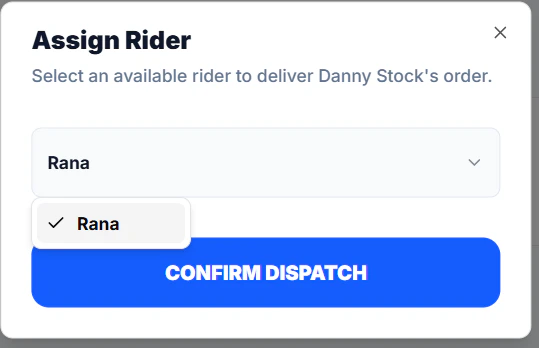
8. Chose a rider and **Confirm Dispatch**
   <Frame>
     <img src="https://mintcdn.com/axon-d19cba9f/zTorX44_AFMQZs9R/images/image-39.png?fit=max&auto=format&n=zTorX44_AFMQZs9R&q=85&s=6049bf72aaec9191c3d5e44a813dacbe" alt="Image" width="539" height="348" data-path="images/image-39.png" />
   </Frame>
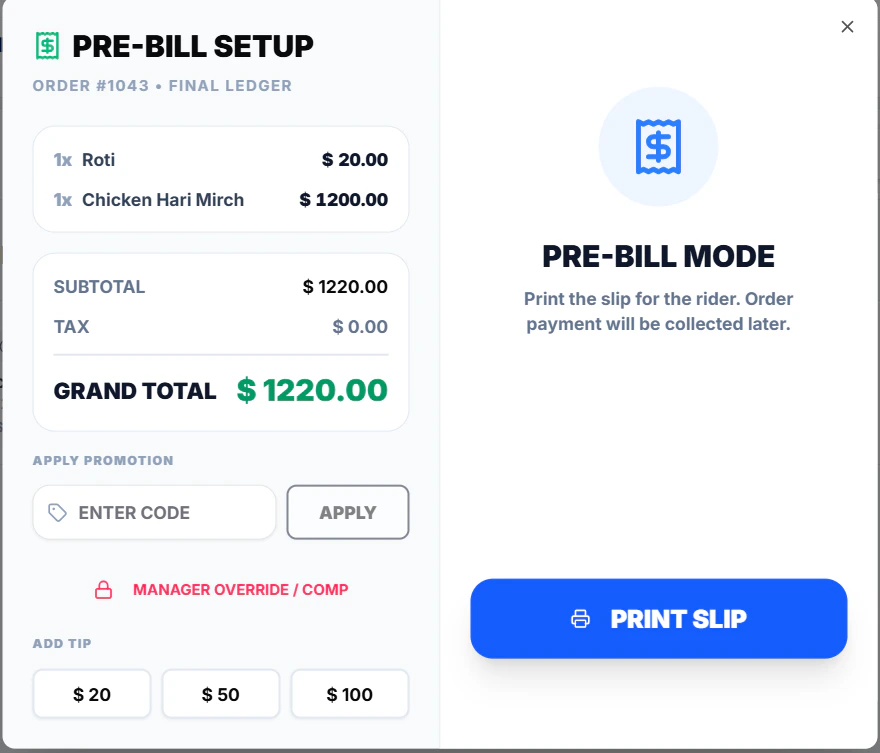
9. for rider

<Frame>
  <img src="https://mintcdn.com/axon-d19cba9f/zTorX44_AFMQZs9R/images/image-40.png?fit=max&auto=format&n=zTorX44_AFMQZs9R&q=85&s=05f507d46f5e51a7430b4b29a9562858" alt="Image" width="880" height="753" data-path="images/image-40.png" />
</Frame>

10. [Rider settles the payment](/index) after payment collection