> ## Documentation Index
> Fetch the complete documentation index at: https://docs.restauric.com/llms.txt
> Use this file to discover all available pages before exploring further.

# Dine-In Order

> **Prerequisite**\
> Ensure tables are created and available in the floor layout.\
> Learn how to set up tables: [Table Setup Guide](/docs/tables-setup)

Follow these steps to create a dine-in order:

1. Select a **DINE-IN** at the top

   <Frame>
     <img src="https://mintcdn.com/axon-d19cba9f/oHiT_DA6sXWElF4n/images/image-2.png?fit=max&auto=format&n=oHiT_DA6sXWElF4n&q=85&s=715351fb96296f73fcf89fb07cf0abec" alt="Image" width="687" height="113" data-path="images/image-2.png" />
   </Frame>
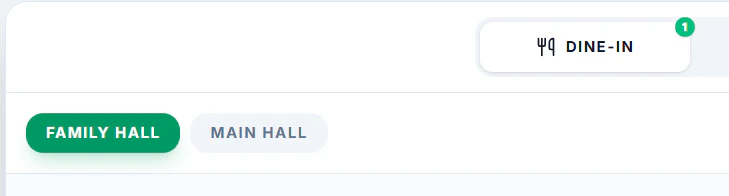
2. Select a **Hall/Floor** if any avaibale.
   <Frame>
     <img src="https://mintcdn.com/axon-d19cba9f/oHiT_DA6sXWElF4n/images/image-4.png?fit=max&auto=format&n=oHiT_DA6sXWElF4n&q=85&s=c90042d43e62e6f7ab666707d92dc277" alt="Image" width="729" height="196" data-path="images/image-4.png" />
   </Frame>
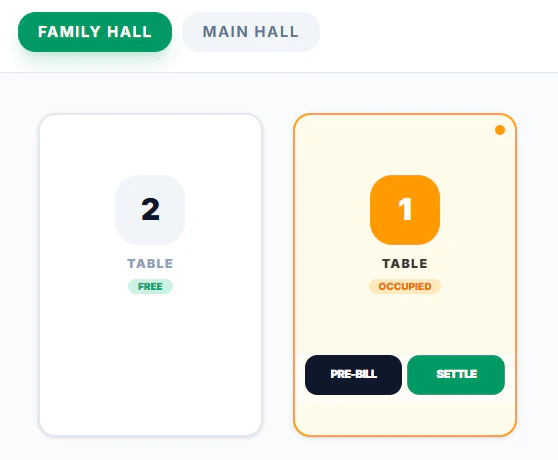
3. Click a **Table** from the floor view
   <Frame>
     <img src="https://mintcdn.com/axon-d19cba9f/oHiT_DA6sXWElF4n/images/image-5.png?fit=max&auto=format&n=oHiT_DA6sXWElF4n&q=85&s=ff2e84624d0356146c483cbd0d87e6cc" alt="Image" width="558" height="460" data-path="images/image-5.png" />
   </Frame>
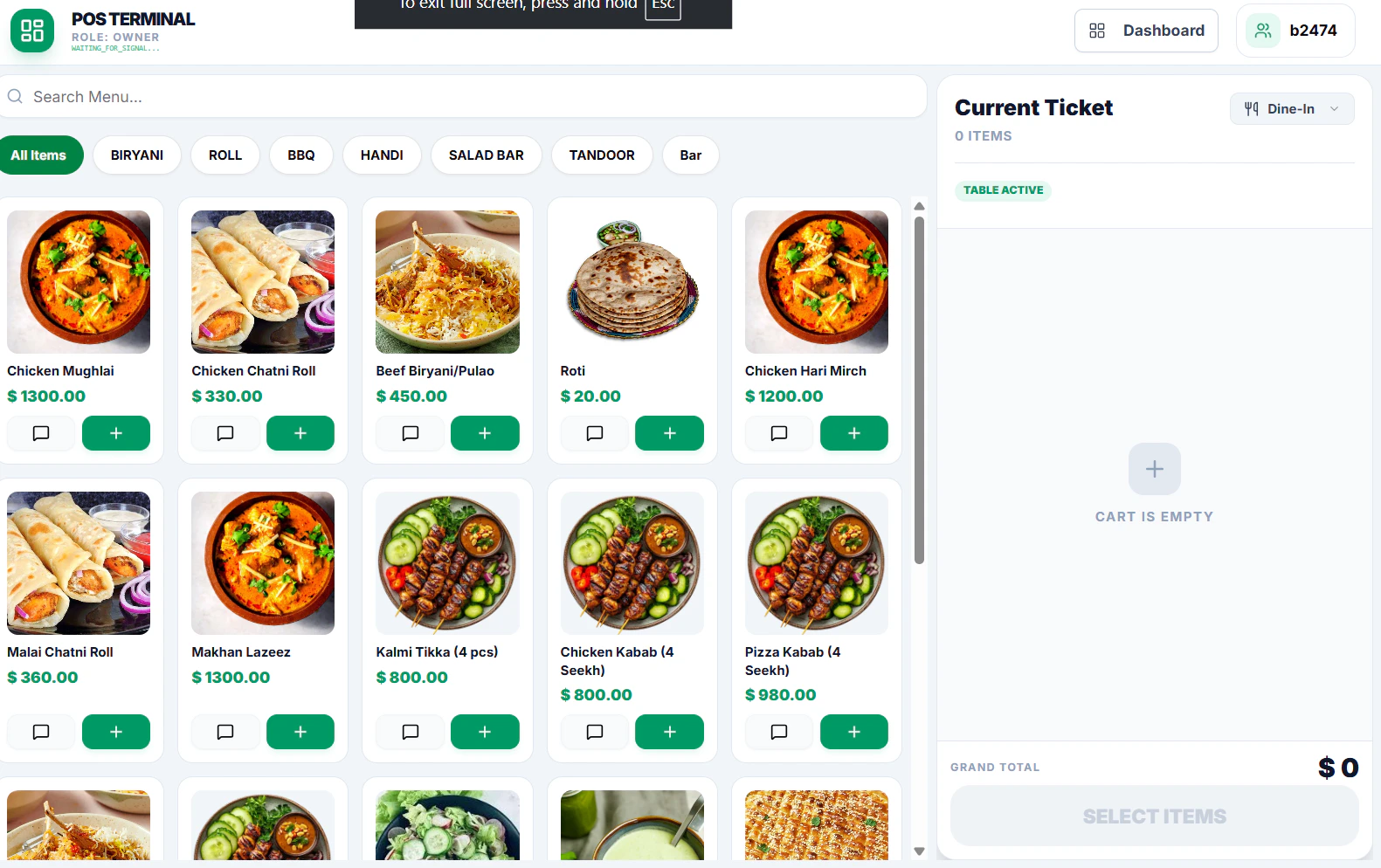
4. Add items from the **Menu**
   <Frame>
     <img src="https://mintcdn.com/axon-d19cba9f/oHiT_DA6sXWElF4n/images/image-6.png?fit=max&auto=format&n=oHiT_DA6sXWElF4n&q=85&s=ee499919d98650ed5ffdd58b0f38247a" alt="Image" width="1581" height="994" data-path="images/image-6.png" />
   </Frame>
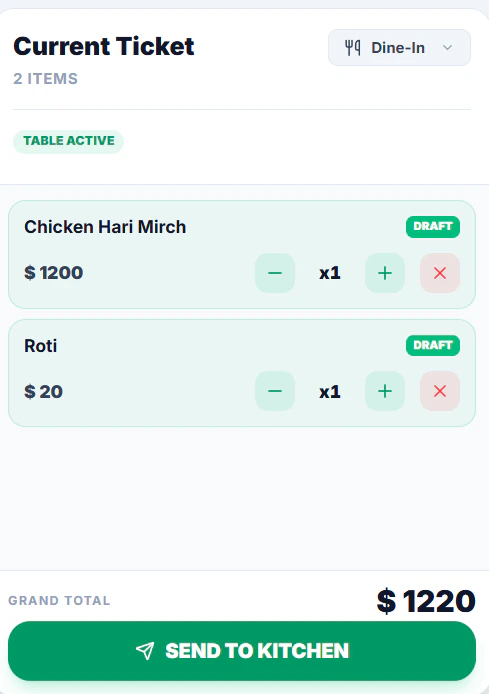
5. Click **Send to Kitchen** to confirm the order
   <Frame>
     <img src="https://mintcdn.com/axon-d19cba9f/oHiT_DA6sXWElF4n/images/image-7.png?fit=max&auto=format&n=oHiT_DA6sXWElF4n&q=85&s=6bef1c897d311bd07373e708e7b0ee6b" alt="Image" title="Image" style={{ width:"59%" }} width="489" height="694" data-path="images/image-7.png" />
   </Frame>
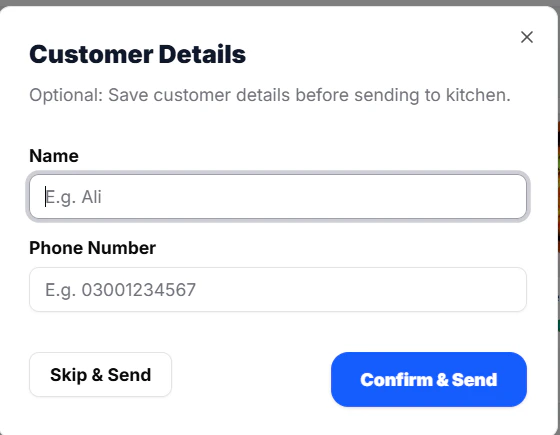
6. Add **Customer Details (Optional)**
   <Frame>
     <img src="https://mintcdn.com/axon-d19cba9f/oHiT_DA6sXWElF4n/images/image-9.png?fit=max&auto=format&n=oHiT_DA6sXWElF4n&q=85&s=d17ef71146c9141a1f1c81ec9d02b3df" alt="Image" width="560" height="435" data-path="images/image-9.png" />
   </Frame>
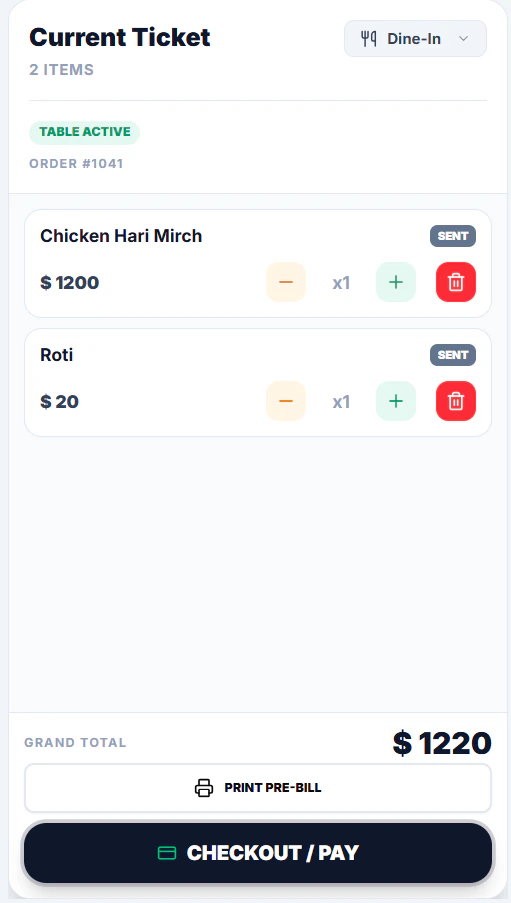
7. For Payment Click **Checkout / Pay**
   <Frame>
     <img src="https://mintcdn.com/axon-d19cba9f/oHiT_DA6sXWElF4n/images/image-10.png?fit=max&auto=format&n=oHiT_DA6sXWElF4n&q=85&s=980a412009f923f3a1970d5f061d80e7" alt="Image" width="511" height="903" data-path="images/image-10.png" />
   </Frame>
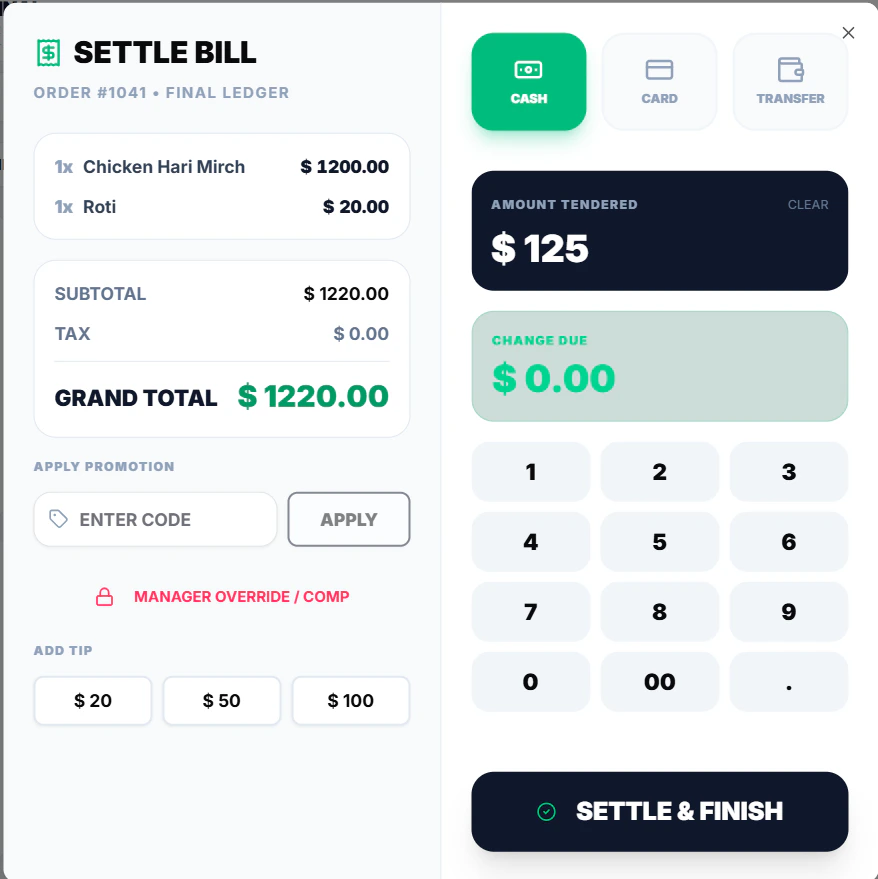
8. Select **Payment Method** and **Settle Bill**
   <Frame>
     <img src="https://mintcdn.com/axon-d19cba9f/oHiT_DA6sXWElF4n/images/image-11.png?fit=max&auto=format&n=oHiT_DA6sXWElF4n&q=85&s=18fd0f3c2599ede5eee5df8ce3c0a974" alt="Image" width="878" height="879" data-path="images/image-11.png" />
   </Frame>
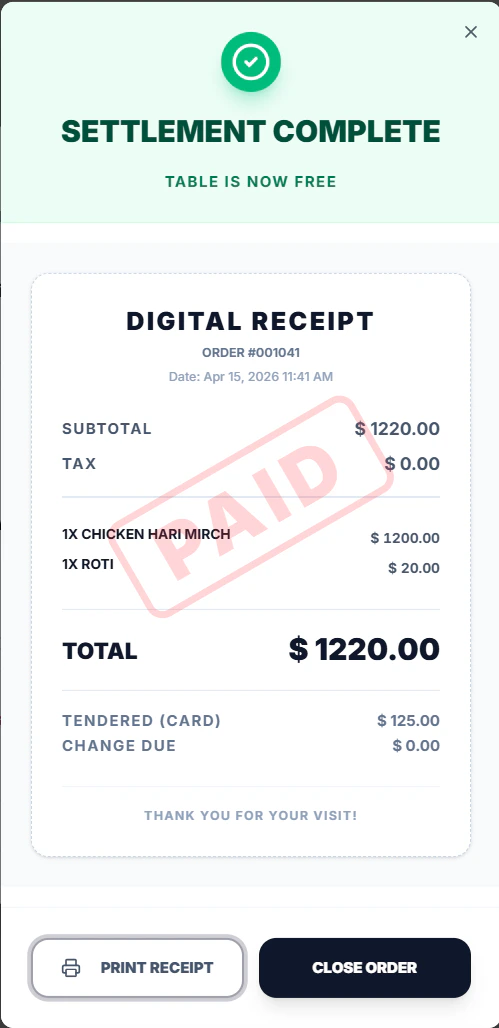
9. **Print Bill** and **Close Order**
   <Frame>
     <img src="https://mintcdn.com/axon-d19cba9f/oHiT_DA6sXWElF4n/images/image-12.png?fit=max&auto=format&n=oHiT_DA6sXWElF4n&q=85&s=7573ac86e72e790f512b0a3022561300" alt="Image" width="499" height="1028" data-path="images/image-12.png" />
   </Frame>